Two workspaces. One connected appointment.

Appointment scheduling, connected on both sides.

appAppointment gives service businesses and their clients two purpose-built workspaces that stay connected - from published availability and booking requests to appointment updates and Messaging.

  • Real availability
  • Connected updates
  • Appointment-linked Messaging
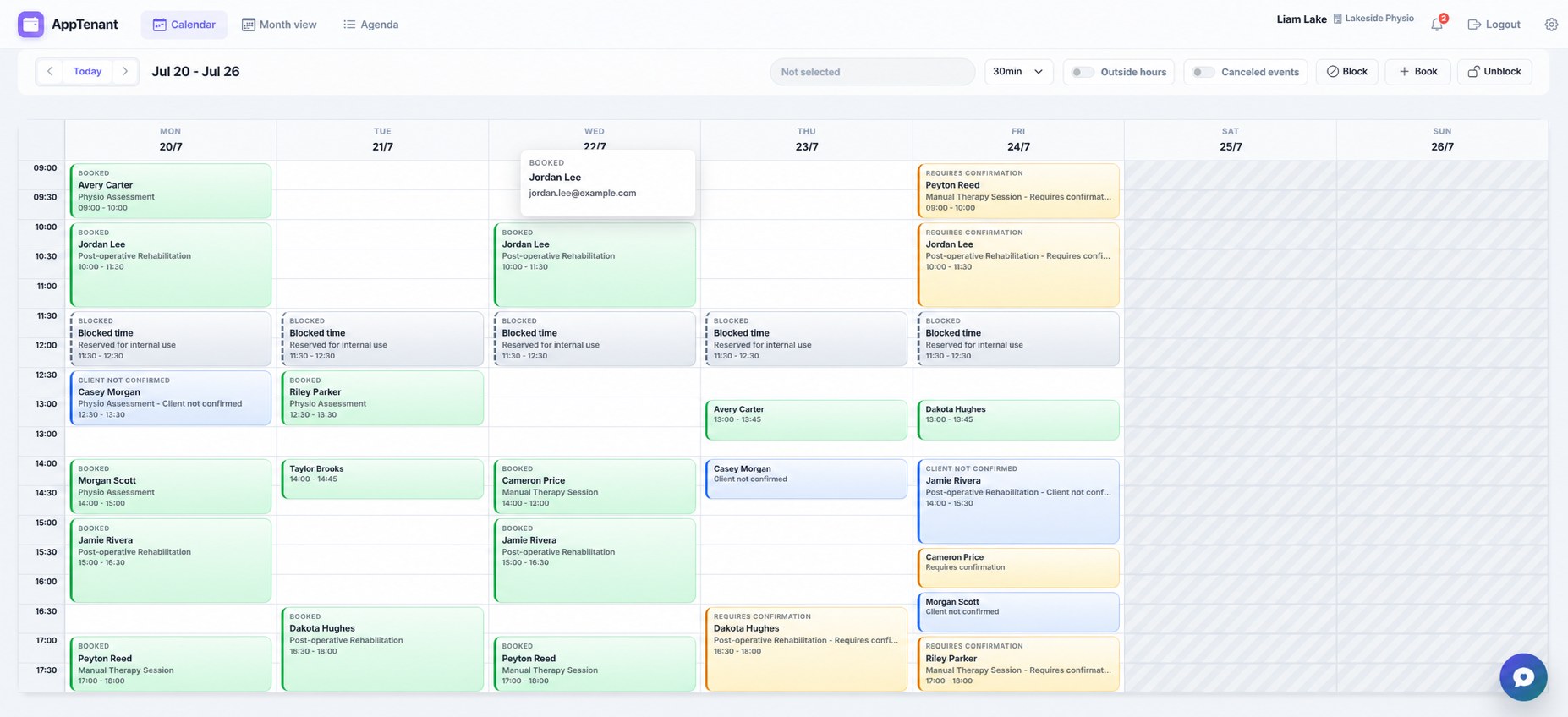
AppTenantBusiness workspace Live schedule
AppTenant weekly calendar showing booked, blocked, available, and confirmation-required time slots.
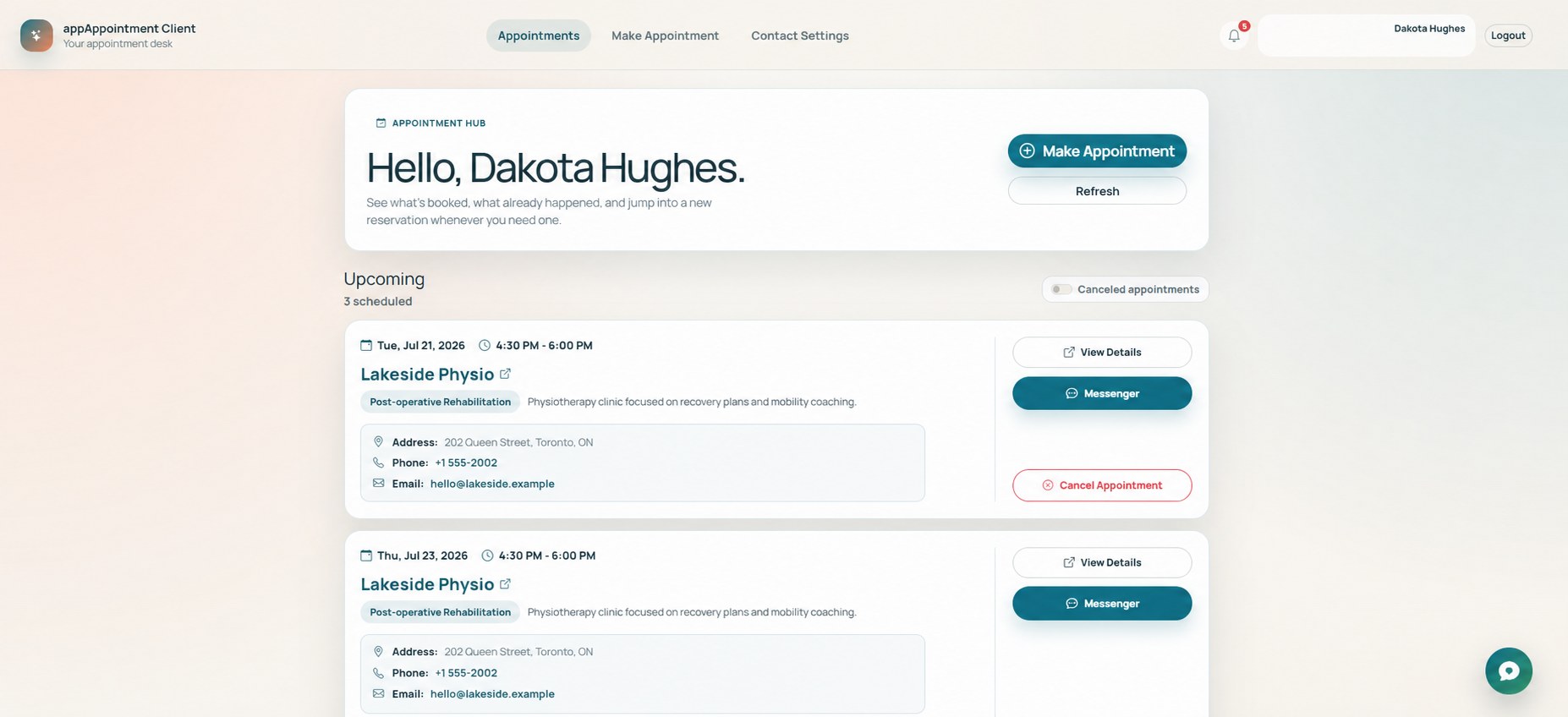
AppClientClient workspace Appointment hub
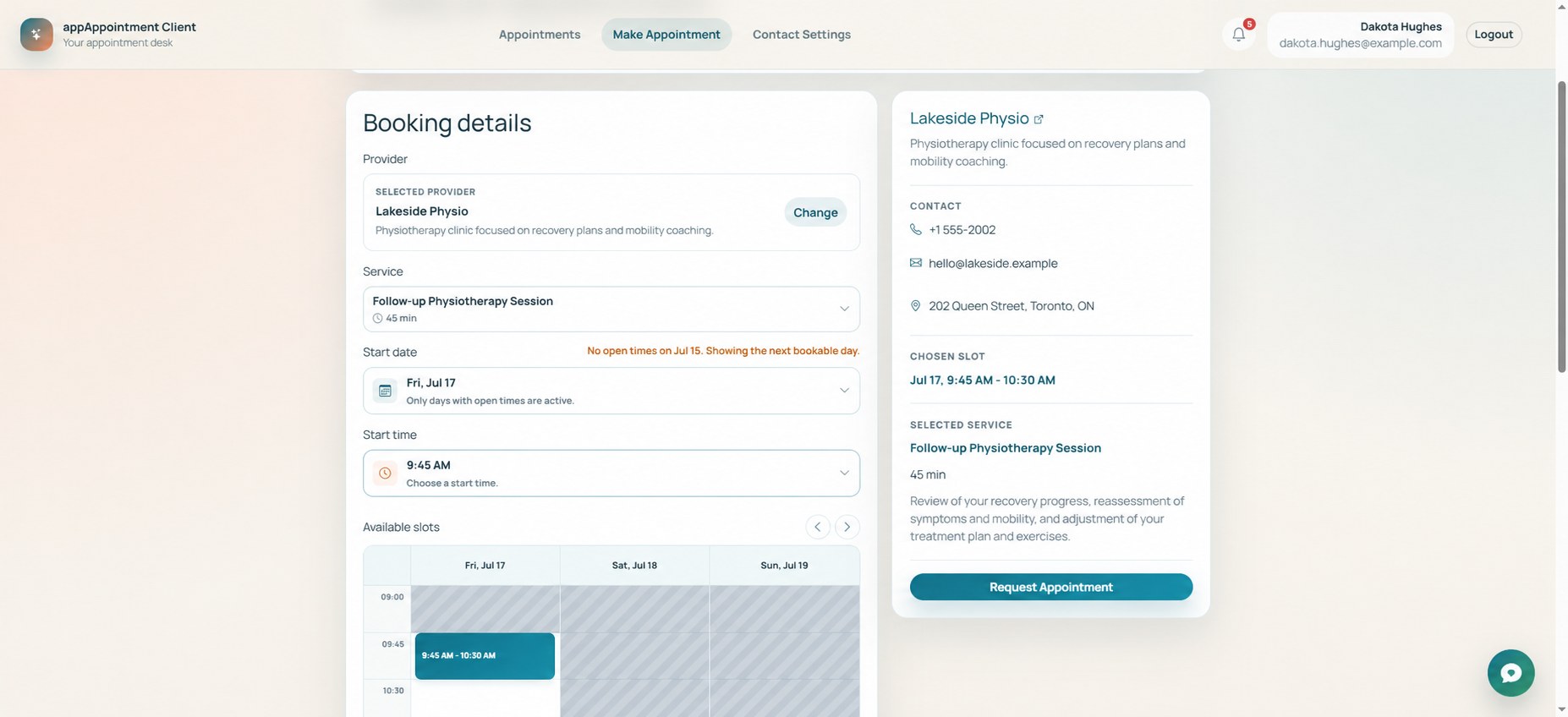
AppClient appointment hub showing upcoming appointments with provider details and actions.
Company publishes availability in AppTenantClient books and follows the appointment in AppClient

Choose the workspace made for you

One appointment. Two clear points of view.

Businesses need operational control. Clients need a simple path to the right service and time. Each app focuses on its audience while keeping the appointment connected.

For businessesAppTenant

Run the schedule and the client workflow.

For companies, organizations, and independent providers that offer services by appointment.

  • Define services, working hours, and open time
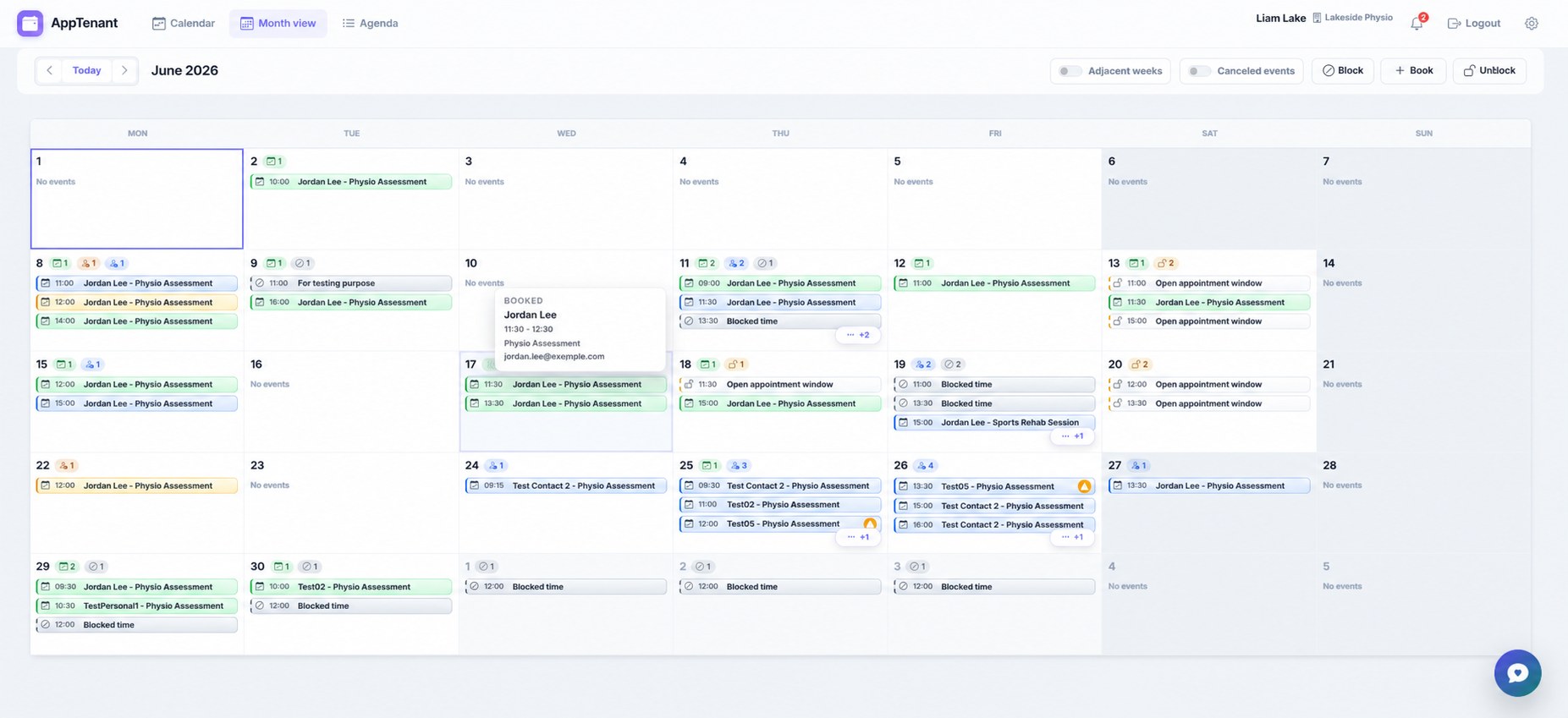
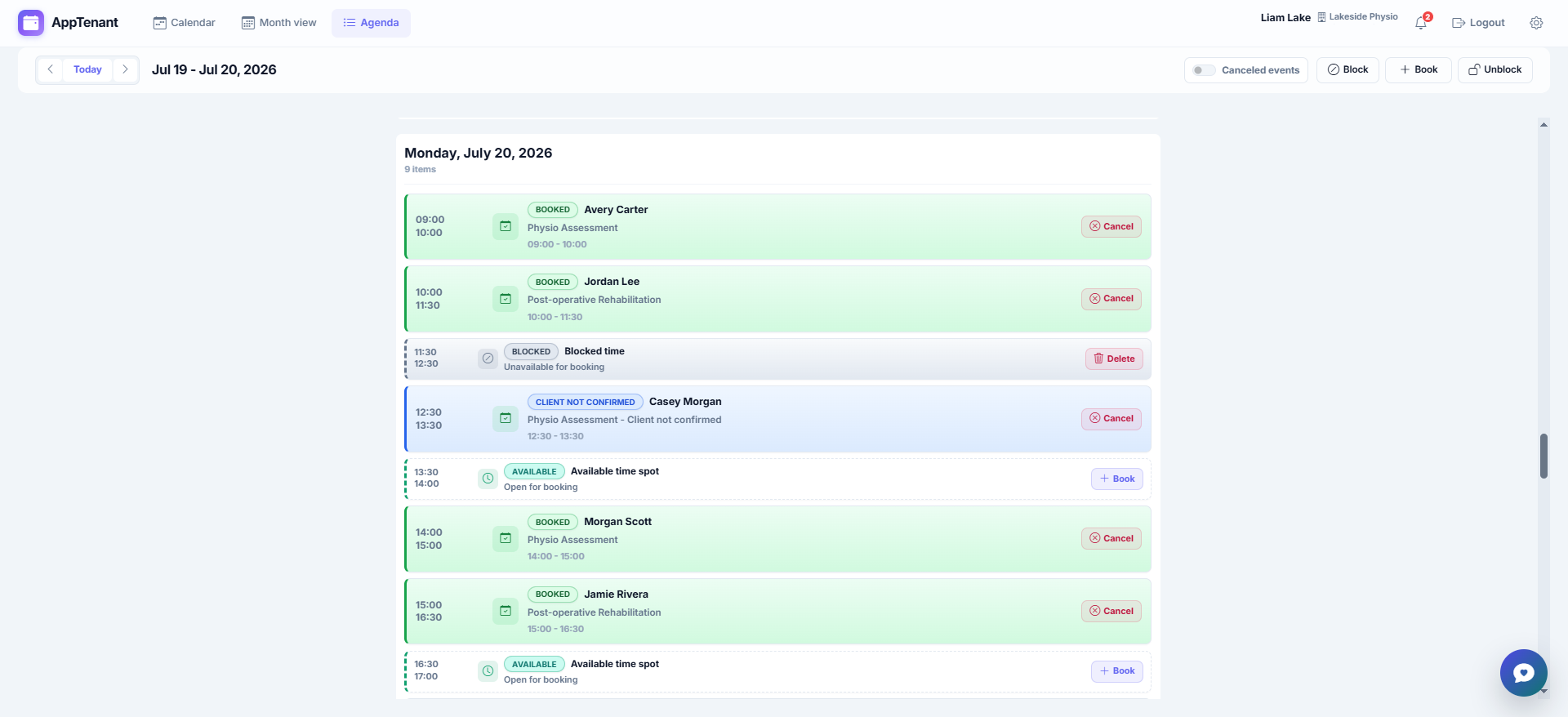
  • Manage bookings in week, month, and agenda views
  • Keep contacts, history, notifications, and Messaging together
  • Publish a company page clients can book from
For clientsAppClient

Find, book, and manage appointments.

For clients who use the services of companies and providers available through appAppointment.

  • Browse provider profiles, services, hours, and open slots
  • Request the service, date, and time that work for you
  • Review upcoming and past appointment details
  • Confirm changes and use appointment-linked Messaging

A shared appointment journey

From published availability to a visit in four steps.

Each person works in the app designed for them. The appointment is the bridge between the two experiences.

  1. Set the offer

    The business defines its services, working hours, and bookable availability in AppTenant.

    AppTenant
  2. Find the fit

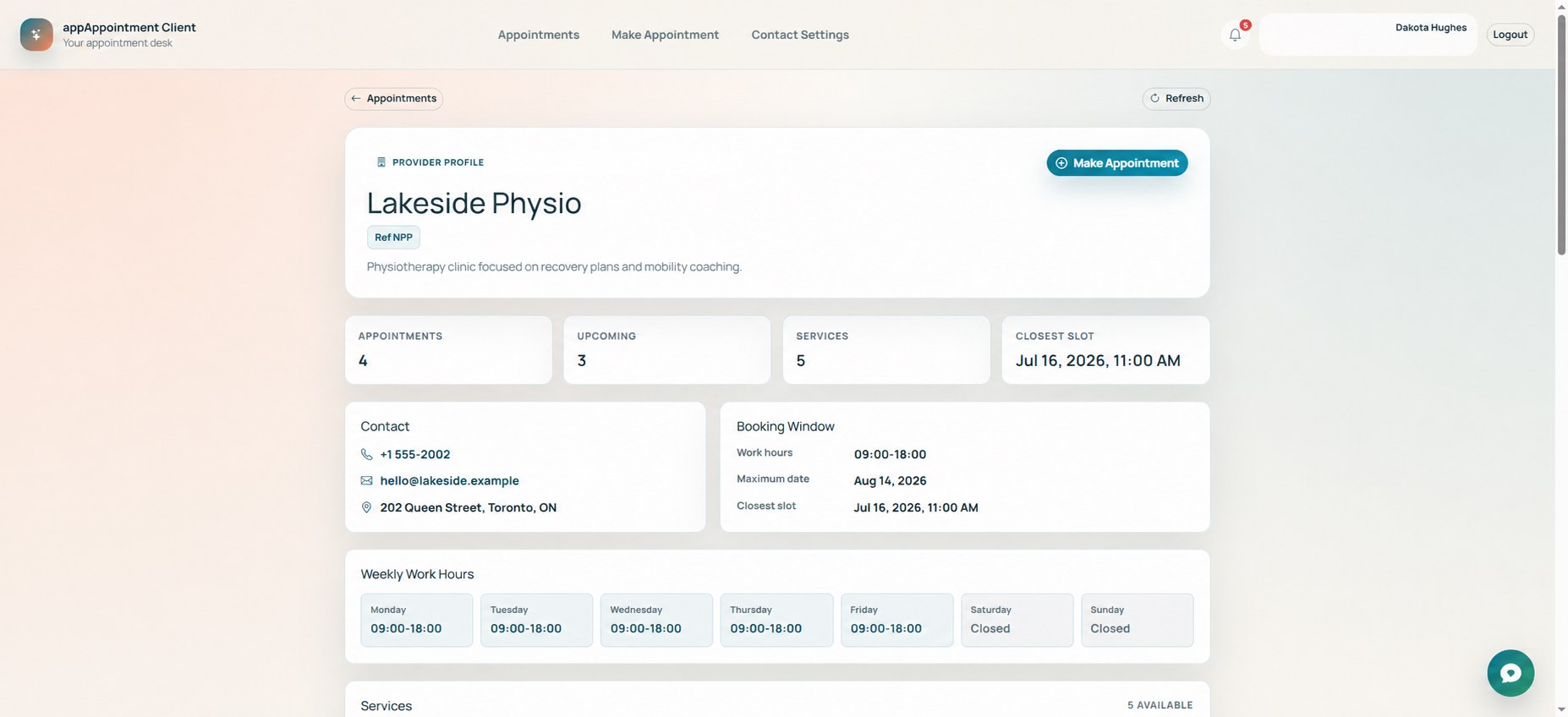
    The client reviews a provider profile, services, hours, and the closest available time.

    AppClient
  3. Request the slot

    The client selects a service and open time; the booking appears in the business workflow.

    Connected
  4. Stay aligned

    Both sides follow status updates, confirmations, notifications, and appointment-linked Messaging.

    Both apps

AppTenant - For companies

Run the day without losing the client context.

Shape availability, operate the calendar, and keep the details around every appointment close at hand - from the first booking request through history and follow-up.

A calendar that reflects real operations

See booked, blocked, available, canceled, and confirmation-required time in week, month, or agenda form.

Availability you control

Configure services, duration, working days, hours, booking windows, and slot increments.

Client context beside the booking

Keep contact details, notes, appointment history, audit information, and Messaging connected.

AppClient - For clients

Book with clarity. Keep every visit within reach.

Discover providers, understand what they offer, choose a genuinely available time, and return to one place for appointment details and communication.

Know who you are booking with

Review provider profiles, service details, contact information, working hours, and closest open slots.

Choose from available times

Select the provider, service, date, and time, then send the appointment request from a clear summary.

Your appointment hub

See upcoming and past visits, appointment details, changes, confirmations, private notes, and Messaging.

Less back-and-forth. More shared context.

The schedule should not be a guessing game.

When availability, client details, status changes, and conversations live in separate places, every appointment creates avoidable coordination work. appAppointment gives each side a focused view of the same journey.

Without a connected workflow

  • Availability confirmed through repeated messages
  • Appointment details copied between tools
  • Status changes easy to miss
  • Conversation separated from the appointment

With appAppointment

  • Businesses publish the time they can offer
  • Clients choose a service and available slot
  • Both sides can follow appointment updates
  • Messaging stays tied to appointment context

Designed as a connected system

The right information reaches the right workspace.

AppTenant and AppClient are separate experiences because their users have different jobs to do. The appointment connects them, so operational control and client simplicity can coexist.

Calendar subscriptions and optional Google Calendar or Gmail integrations can extend the workflow when they are enabled for an account.

Frequently asked questions

Start in the app that matches your role.

A business uses AppTenant. A person booking with that business uses AppClient. Here are the essentials before you choose.

Choose your app
What is AppTenant?

AppTenant is the business workspace for companies, organizations, and independent providers. It is used to define services and availability, manage calendars and bookings, maintain client context, publish a company booking page, and handle appointment updates and Messaging.

What is AppClient?

AppClient is the client workspace for people who book with those businesses. Clients can review provider profiles and services, choose available appointment times, see upcoming and past visits, manage appointment actions, and keep Messaging connected to each appointment.

How do AppTenant and AppClient work together?

A business publishes services and availability through AppTenant. A client finds the provider and requests an open time through AppClient. Appointment details, relevant status updates, confirmations, notifications, and Messaging then support both sides of the same journey.

Can a company publish a page clients can book from?

Yes. AppTenant supports a public company profile and booking path. A business can present its public details and services so clients can review the offer and choose an available appointment through the AppClient experience.

Can appointments connect to a calendar?

Calendar subscriptions are available, and optional Google Calendar integration can extend the workflow when enabled. AppTenant also supports optional Gmail integration for appointment-related email.

Which app should I use?

Use AppTenant if you run a company or provide services by appointment. Use AppClient if you are booking and managing appointments with one of those companies. If you do both, you may use each app in its corresponding role.

Your next appointment starts here

Choose the side of the schedule you manage.

Set up your business in AppTenant, or create an AppClient account to book and follow appointments with participating providers.